“How much does a website cost?” is one of the first questions every business asks — and “it depends” is the answer almost everyone gets. That answer is true, but it isn’t useful. You can’t plan a budget around it, and it makes quotes from different agencies impossible to compare.
This guide explains what actually drives the cost of a B2B website in 2026, which costs are easy to miss, and how to compare quotes so you know exactly what you are paying for. It won’t give you one magic number — nobody honest can do that without understanding your project — but by the end you will know which questions to ask and which answers to expect.
The short answer: seven things decide the price
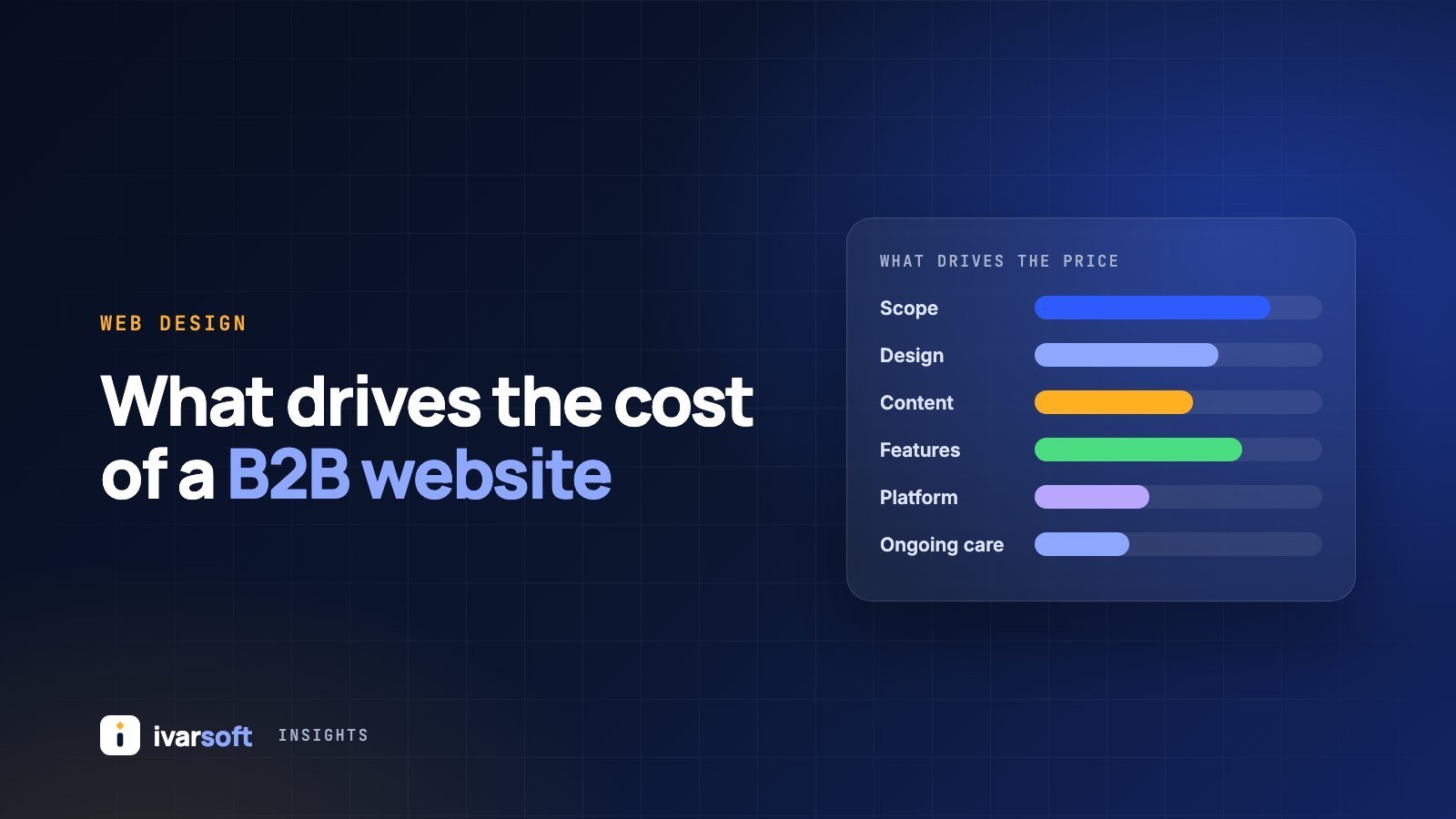
Almost every website quote is built from the same seven factors. Two companies with “10-page websites” can receive very different quotes because they differ on several of these:
- Scope — how many different page types (templates) the site needs.
- Design approach — a customised theme or a fully custom design.
- Content — who writes the copy and provides photos, video and graphics.
- Functionality and integrations — forms, CRM, product catalogues, portals, multiple languages.
- Platform — WordPress, Webflow, Shopify or a custom build.
- Quality foundations — SEO, speed, accessibility, analytics and security.
- Ongoing care — hosting, updates, backups and support after launch.
Let’s look at each one.
1. Scope: count templates, not pages
A common mistake is to brief a project as “a 15-page website”. What matters far more is how many different page layouts you need. Ten service pages that share one well-designed template cost much less than ten pages that each need a unique layout.
A typical B2B site needs templates for the home page, a service or product page, an about page, a case study or project page, a blog or news listing and article, and a contact page. Each additional template adds design and development time.
Tip: list your pages, then group them by layout. That list is the most useful thing you can bring to a first conversation with any agency.
2. Design: customised theme or custom design
A well-chosen theme, customised with your brand colours, fonts and imagery, is faster and cheaper to deliver. A fully custom design takes longer because every layout is designed for your content and your buyers — but it is usually the better choice when your website is a primary source of new business, or when you need to look clearly different from competitors.
Neither is “right”. The question is how much the website needs to work as a sales tool, and how much you need to stand out.
3. Content: often the most underestimated cost
Content is the part of a website project most likely to cause delays. Someone has to write clear copy for every page, source or shoot photography, and prepare case studies. If your team writes the content, the quote will be lower — but plan for the internal time it takes. If the agency writes or edits it, expect that to be quoted separately.
For B2B companies, good content is not decoration. It is what convinces a buyer to get in touch. It deserves a real budget and a real owner.
4. Functionality and integrations
This is where costs rise fastest, because each feature has to be built, tested and maintained. Common examples on B2B websites include:
- Enquiry or request-for-quote forms that send leads straight into your CRM
- Product or capability catalogues with filters
- Downloadable datasheets, brochures or gated content
- Multiple languages for export markets
- Client portals, logins or booking systems
- AI assistants that answer common questions from your own content
Be specific about which of these you need at launch and which can wait for a second phase. Phasing is one of the easiest ways to control cost without cutting quality.
5. Platform: think about the total cost, not just the build
The platform affects both the build cost and the long-term cost of owning the website:
- WordPress is flexible, widely supported and easy for teams to edit, but it needs regular updates and good security practice.
- Webflow is excellent for marketing sites that need polished design and easy editing, with hosting included in a subscription.
- Shopify is the natural choice if you sell products online.
- A custom build makes sense for web applications, portals or unusual requirements.
A good partner should explain why they recommend a platform for your situation — not simply use the one they always use.
6. Quality foundations: SEO, speed, accessibility and analytics
These are invisible in a design mock-up, which is exactly why they get left out of cheaper quotes. Ask whether the quote includes:
- Technical SEO: page titles, descriptions, structured data, a sitemap and redirects from your old website
- Performance optimisation so pages load quickly on mobile
- Accessibility basics, such as colour contrast, alt text and keyboard navigation
- Analytics and conversion tracking, set up to respect cookie consent rules
- Security: SSL, spam protection on forms and backups
Skipping these may make the first quote smaller, but you will pay for it later in lost search traffic and leads.
7. Ongoing care after launch
A website is not finished on launch day. Budget for hosting, domain renewal, software updates, backups, monitoring and small changes over time. Ask how this is handled: is there a support period included, a monthly care plan, or are changes charged one by one?
Costs that are easy to miss
Before you sign, ask about each of these so they don’t appear as surprises later:
- Premium plugin, font or software licences
- Stock photography or video
- Copywriting and translation
- Moving content from your old website
- Hosting and email, and who owns those accounts
- Changes requested after the design has been approved
How to compare website quotes fairly
When quotes differ widely, it is usually because they include different things. Put each quote side by side and check:
- Is the scope written down — templates, features and integrations?
- Who provides the content, and is copywriting included?
- Are SEO, performance, accessibility and analytics included?
- What is the timeline, and what do they need from you to keep it?
- How are payments structured — and are they tied to milestones you approve?
- Who owns the code, design, content and accounts when the project ends?
- What support is included after launch?
Red flags to watch for
- A price given before anyone has asked about your goals or your buyers
- No written scope, or a scope that is just “a 10-page website”
- The agency keeps ownership of your domain, hosting or code
- Full payment demanded up front
- No mention of SEO, redirects or analytics when replacing an existing website
How we quote at Ivarsoft
We don’t publish fixed prices, because two B2B websites are rarely the same. Instead, we start with a free 30-minute call to understand your goals, your buyers and what you need the website to do. Within 48 hours of that call you receive a written proposal with the scope, timeline and cost. Payments are tied to milestones you review and approve, you own everything we build, and every project includes 30 days of post-launch support.
If you are planning a new website or a redesign, see how we design and build B2B websites, browse websites we have built, or book a free call and we will help you scope it properly.
Frequently asked questions
How long does a B2B website take to build?
It depends mainly on scope and on how quickly content and feedback are ready. Content is the most common cause of delays, so start preparing it early.
Is it cheaper to redesign my current website or start again?
If your current platform is sound and you mainly need a new look, a redesign can work well. If the site is slow, hard to edit or built on outdated technology, rebuilding is often better value over the next few years. A short audit of your current site will usually make the answer clear.
Can my team update the website after launch?
It should be able to. Ask for a content management system your team is comfortable with and a short handover session, so that everyday changes don’t depend on your agency.